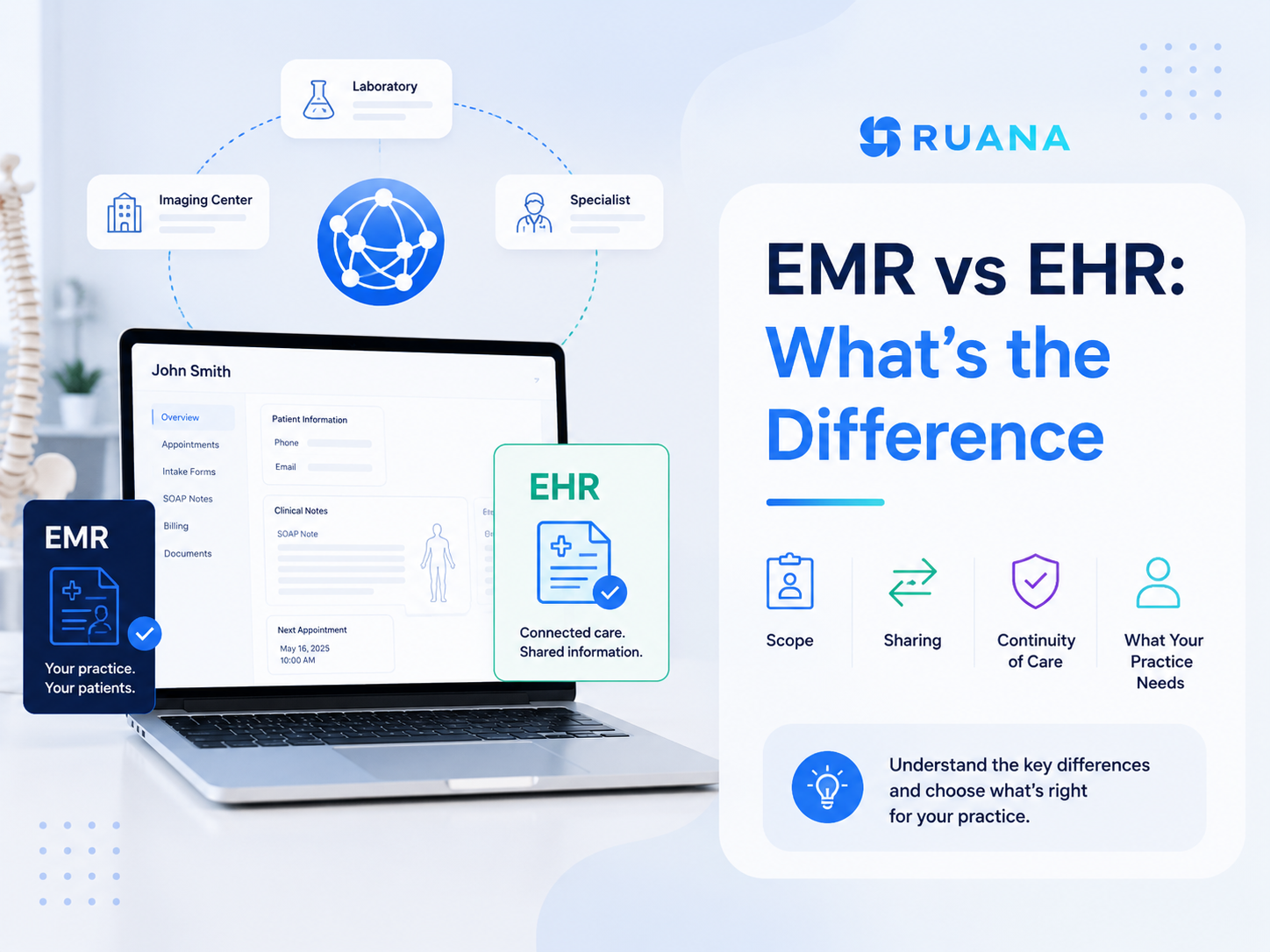
EHR vs EMR: What’s the Difference and Which Does Your Practice Need?
01.09.26
The terms EMR and EHR are often used interchangeably in software marketing, but they are not quite the same thing.
The simplest version of the EHR vs EMR distinction can be described as:
EMR primarily manages records and workflows within a practice.
EHR is designed to make health information available across multiple providers and care settings.
One is your practice’s own clinical record. The other is built to travel.
That difference sounds academic until you are comparing two products and trying to work out which one your clinic actually needs. A solo chiropractor, a three-therapist massage practice, and a hospital-affiliated clinic have genuinely different requirements, and paying for connectivity you will never use is a common and expensive mistake.
This guide explains both terms, where they overlap, and how to decide which level of complexity fits your practice.
The Office of the National Coordinator for Health IT puts it plainly: electronic medical records “are a digital version of the paper charts in the clinician’s office.”
An EMR holds the medical and treatment history of patients within one practice. It replaces the filing cabinet. Clinical notes, diagnoses, treatment plans, allergies, and visit history all live in a searchable digital record instead of a folder someone has to physically retrieve.
For many smaller practices, that model can be perfectly practical. If most care is delivered by the same team and patient records rarely need to move between hospitals, specialists, laboratories, or other healthcare organizations, a system focused on internal documentation may provide exactly what the practice needs without adding unnecessary complexity.:
Faster documentation: Templates, shortcuts, and carrying a previous note forward turn charting into minutes rather than an evening task.
Records that are actually findable: Searching a patient’s history takes seconds instead of a trip to the storage room, and two people can view a chart at once.
Better legibility and completeness: Structured fields catch the gaps that handwritten notes leave, which matters for continuity of care and for liability.
Tracking progress over time: Comparing today’s findings against the last six visits is straightforward when the history is structured.
Lower cost and complexity: Without interoperability infrastructure, EMR-style systems are typically cheaper to buy, faster to configure, and simpler to learn.
Security and compliance: Access controls, audit trails, encryption, and backups are considerably stronger than a locked cabinet.
What Is an EHR (Electronic Health Record)?
An electronic health record does everything an EMR does, then adds the part that gives it its name. The main focus here is on supporting a more complete view of the patient’s health across different providers and care settings.
The defining feature is interoperability. EHR systems are built to make patient information available across authorized healthcare organizations, such as specialist offices, hospitals, laboratories, and other providers involved in the patient’s care.
So, if your patients regularly move between different clinicians or facilities, their information needs to follow them. In many systems, patients may also have direct access to parts of their record through portals or connected services. This makes the system more complex to implement and maintain.
Benefits of an EHR
Care coordination across providers: A specialist can see what a primary provider recorded without waiting on a fax or a posted printout.
Lab and imaging integration: Results flow back into the record automatically rather than being entered by hand.
A longitudinal patient history: The record follows the person across practices, systems, and years.
Patient access: Portals let patients view results, histories, and visit summaries themselves.
Referral and transition support: Sending a patient elsewhere means sending the record with them.
Insurance and claims infrastructure: Certified EHRs generally include the electronic claims workflow that practices billing payers directly depend on.
EHR vs EMR: What Is the Difference?
The difference is scope and sharing.
An EMR digitises patient records inside a single practice and is optimised for the clinicians working there.
An EHR is built to exchange that information across practices, laboratories, hospitals, and other care settings, so the record follows the patient rather than staying with the provider.
EMR
EHR
Primary purpose
Digital records and workflows within one practice
Shared health information across providers and settings
Scope of record
Care delivered at that practice
Longitudinal record spanning many providers
Data sharing
Limited, often manual (print, fax, post)
Built for structured exchange
Interoperability
Minimal by design
Central to the product
Typical users
Solo and small practices, single-discipline clinics
Weeks to months, with training and integration work
Best fit
Practices where care stays in-house
Practices that routinely share care with others
💡Vendors do not use these terms consistently. Plenty of products marketed as EHRs offer little real interoperability, and plenty marketed as EMRs include portals, e-prescribing, or lab connections. The categories have blurred considerably as products matured, and practice-focused sources now openly acknowledge that the boundary is fuzzy.
Treat the label on the homepage as marketing. Judge the product on what it actually does.
What Do EMR vs EHR Systems Have in Common?
More than the naming debate suggests. Both categories:
Replace paper charts with searchable digital records
Store clinical documentation, history, and treatment plans
Support structured note templates
Provide access controls, audit trails, and encryption
Help meet HIPAA and equivalent regional requirements
Reduce the errors that come from handwriting and misfiled paper
Make patient information retrievable in seconds
Usually include some scheduling and billing functionality
The overlap is the reason the terms drifted together in the first place. A well-built EMR and a modestly-featured EHR can look nearly identical in day-to-day use.
Which leads to the qualifier that matters most: features vary far more between individual products than between the two categories. Do not choose based on which acronym a vendor prints on its homepage. Write down the specific things your practice needs to do, then check whether the product does them, whatever it calls itself.
EHR vs EMR: Which One Does Your Practice Actually Need?
The honest answer for most small practices is that this is the wrong question to start with. Begin instead with where your patient information actually needs to go.
If it stays inside your practice, you need good records and an efficient workflow. If it routinely needs to reach other providers in a structured way, you need interoperability, and that is a different and more expensive product.
Another thing worth checking in either category, because it is easy to overlook at purchase and painful to discover later: how your data comes back out.
Ask whether you can export patient records, clinical notes, and financial history in a usable format, whether that export costs anything, and what happens to your data if you cancel.
An EMR-Style System May Be Enough If…
Care stays in-house: Patients see you, you treat them, and their record has no reason to leave.
You are solo or a small team: One to ten practitioners in a single discipline, or a small multi-service wellness clinic.
You are cash-pay, out-of-network, or superbill-based: No electronic claims means no need for claims infrastructure.
Referrals are occasional and informal: A letter or a PDF covers the handful of cases where you send someone elsewhere.
You do not order labs or imaging directly: Nothing needs to flow back into the record automatically.
You want to be running quickly: Simpler systems are configured in hours, not quarters.
Budget matters: You would rather spend on treatment equipment or marketing than on connectivity you will not use.
This describes most chiropractic, massage therapy, and small wellness practices accurately. Documentation quality still matters enormously, while interoperability generally does not.
An EHR May Make More Sense If…
Care is shared routinely. Patients move between you, specialists, and hospitals as a normal part of treatment.
Electronic claims are a daily reality. Billing payers directly need that infrastructure built into the product.
Labs or imaging are part of your workflow. Automatic results return saves real time and avoids transcription errors.
The practice is multi-specialty or hospital-affiliated. Several disciplines contributing to one record require shared structure.
E-prescribing falls within your scope. This capability sits in EHR territory and depends on jurisdiction.
A regulatory or incentive programme requires certification. Some reporting programmes only accept a certified system.
You are large, or growing quickly. Past a certain size, coordination overhead justifies the infrastructure.
Practices in this group should buy for interoperability and accept the implementation cost that comes with it.
EMR, EHR, or Practice Management Software?
There is a third category, and for many small practices it is the one that actually fits.
EMR focuses primarily on electronic patient records within a practice.
EHR emphasises broader longitudinal records and interoperability across care settings.
Practice management software focuses on running the operational side of the practice, and often provides clinical documentation as well.
Practice management software answers a different question. Not “where does this record go,” but “how does this practice run.” Scheduling, online booking, intake, patient records, invoicing, reminders, packages, and reporting are its territory, and most modern platforms include clinical charting alongside it.
Modern products combine these categories freely, which is exactly why the labels have stopped being reliable. What matters is the shape of the work in your clinic. For a chiropractor or massage therapist, the daily challenge is rarely the inability to exchange structured data with a hospital. It is the phone ringing during treatment, intake forms filled in at the front desk, and notes still unwritten at seven in the evening.
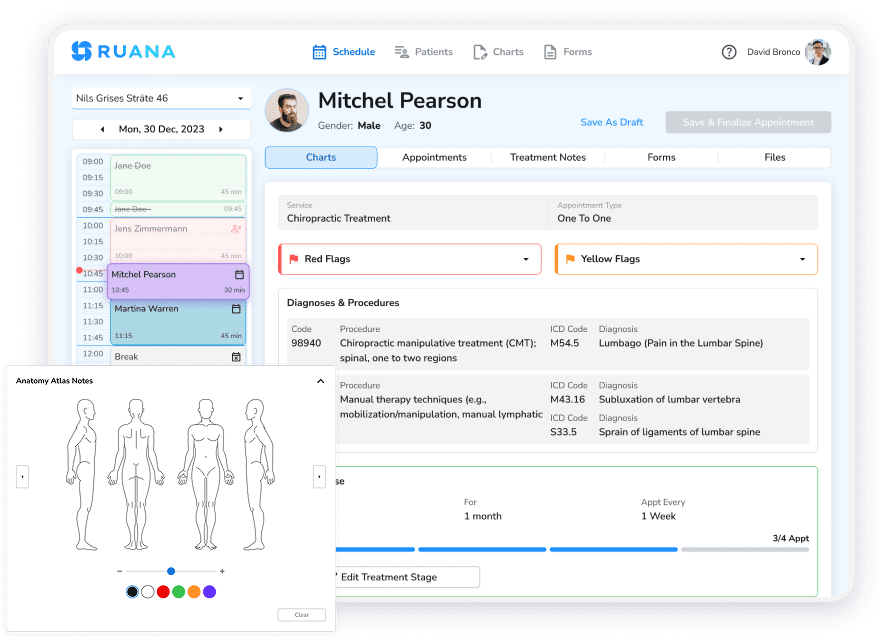
Ruana is practice management software built for that reality, serving chiropractors, massage therapists, mental health practitioners, and other wellness professionals. It brings online booking, scheduling, digital intake forms, a full client record, SOAP notes with anatomical diagrams and auto-complete shortcuts, superbills, packages and memberships, automated reminders, and financial reporting into one system. It is HIPAA-compliant with a BAA available for US providers, and GDPR compliant for practices in the EU.
Being clear about what it is not: Ruana isn’t an EHR system; it’s more practice management software combined with an EMR. It does not do EDI or clearinghouse claim submission. Instead, you can generate superbills for patients to submit themselves, which suits cash-pay and out-of-network practices and does not suit clinics billing payers directly every day.
The Short Version
The EMR vs EHR comparison describes a difference in scope. One keeps records inside your practice, while the other is engineered to move them between practices. Both digitise charts, both improve on paper, and vendors apply the labels loosely enough that neither term tells you much on its own.
The better question is what you need to do. Practices sharing care across providers and billing payers electronically need the interoperability an EHR provides. Practices delivering care in one place, for their own patients, usually need excellent documentation and an efficient operational workflow instead.
Work out which description fits your clinic first. Then evaluate products on what they actually do, rather than on the acronym in the headline.
For chiropractors, massage therapists, and other wellness practices that fall into the second group, Ruana is built around that day-to-day workflow: scheduling, intake forms, SOAP notes and charting, billing, reminders, and practice management in one system, without trying to be a full-scale EHR.
About the Authors
★★★★★4.9 · 329 Reviews
Rouzbeh NoroozyChiropractor & Co-Founder · Palmer West · UC Berkeley · 14 Years of ExperienceRouzbeh Noroozy is a chiropractor with 14 years of clinical experience and co-founder of Ruana practice management software. He completed his undergraduate studies at the University of California, Berkeley and graduated from the renowned Palmer College of Chiropractic West in California. As a practicing clinician and clinic owner, he understands firsthand the administrative challenges practices face — and which digital tools genuinely help streamline day-to-day operations.
Anastasiia NoroozyMedical Graduate & Co-Founder · 8 Years of ExperienceAnastasiia Noroozy is a medical graduate and co-founder of Ruana with 8 years of experience working directly with patients at the clinic in Cologne. She manages the day-to-day flow of the practice and knows every patient-facing process from the inside out — from intake and scheduling to follow-up care. Her hands-on clinical and operational experience directly shapes how Ruana is built to work in the real world.
Our team will review your inquiry and get back to you as soon as possible.
Privacy Settings
To provide the best experiences, we use technologies like cookies to store and/or access device information. Consenting to these technologies will allow us to process data such as browsing behavior or unique IDs on this site. Not consenting or withdrawing consent, may adversely affect certain features and functions.
Functional
Always active
The technical storage or access is strictly necessary for the legitimate purpose of enabling the use of a specific service explicitly requested by the subscriber or user, or for the sole purpose of carrying out the transmission of a communication over an electronic communications network.
Preferences
The technical storage or access is necessary for the legitimate purpose of storing preferences that are not requested by the subscriber or user.
Analytics
The technical storage or access that is used exclusively for statistical purposes.The technical storage or access that is used exclusively for anonymous statistical purposes. Without a subpoena, voluntary compliance on the part of your Internet Service Provider, or additional records from a third party, information stored or retrieved for this purpose alone cannot usually be used to identify you.
Marketing
The technical storage or access is required to create user profiles to send advertising, or to track the user on a website or across several websites for similar marketing purposes.
To provide the best experience for our practitioners, we use cookies to personalize content, analyze our traffic, and support our marketing efforts. By clicking 'Accept', you consent to our use of these technologies. You can manage your preferences at any time.
Functional
Always active
The technical storage or access is strictly necessary for the legitimate purpose of enabling the use of a specific service explicitly requested by the subscriber or user, or for the sole purpose of carrying out the transmission of a communication over an electronic communications network.
Preferences
The technical storage or access is necessary for the legitimate purpose of storing preferences that are not requested by the subscriber or user.
Analytics
The technical storage or access that is used exclusively for statistical purposes.The technical storage or access that is used exclusively for anonymous statistical purposes. Without a subpoena, voluntary compliance on the part of your Internet Service Provider, or additional records from a third party, information stored or retrieved for this purpose alone cannot usually be used to identify you.
Marketing
The technical storage or access is required to create user profiles to send advertising, or to track the user on a website or across several websites for similar marketing purposes.