A booking page on its own does not create a good scheduling system. If appointment types, practitioner availability, buffers, and intake are not configured correctly, online booking simply automates the scheduling mistakes you were already making, and does it faster and around the clock
The practices that get this right treat setup as a configuration exercise rather than a switch to flip. They decide what patients may book, how long each service really takes, when each practitioner works, and what happens in the minutes between appointments. Then they turn the link on.
Quick answer: If you want to know how to set up online appointment booking, choose your system, define services and appointment durations, configure practitioner availability, set booking rules and buffers, connect intake and reminders, publish your booking link, and test the complete patient experience.
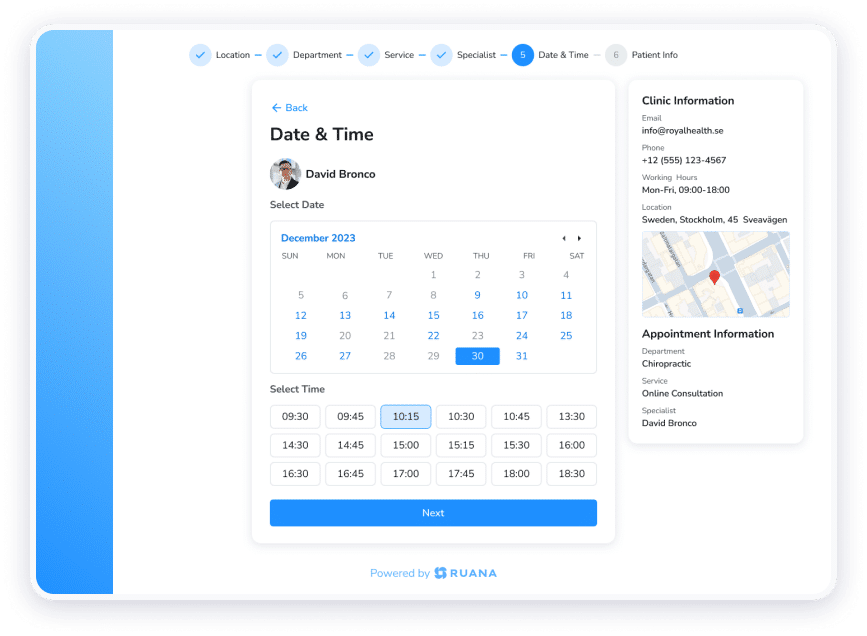
Online appointment booking lets clients schedule with your practice through a web page or link instead of calling. They see the availability you have defined, choose a service and a time, enter their details, and receive a confirmation.
For a small practice, the practical effect is that scheduling stops depending on someone being free to answer the phone. Bookings arrive in the evening, at weekends, and while you are mid-treatment.
Online Booking vs. Patient Self-Scheduling vs. Appointment Requests
These three terms get used interchangeably, yet they describe meaningfully different setups.
Model
How it works
Best for
Online booking
The client picks an open slot and the appointment is confirmed immediately
Established services with predictable durations
Patient self-scheduling
The same thing, with the client also able to cancel or reschedule without calling
Practices wanting to remove admin from schedule changes
Appointment requests
The client submits a preferred time and the practice confirms or proposes an alternative
New patient visits, complex cases, or practitioners who want a final say
Most practices end up using more than one. A returning client booking a routine adjustment can have instant confirmation, while a first visit or an unusual case goes through request mode so someone reviews it before it lands on the calendar.
Ruana supports both. Appointments confirm instantly by default, and appointment request mode can be switched on when you would rather review each booking before it becomes final.
Why Practices Prefer Online Booking
The benefits of online appointment scheduling split cleanly between the two sides of the transaction.
For patients
For the practice
Book at any hour without waiting for opening times
Fewer interruptions during treatment
No phone tag or voicemail
Fewer scheduling errors and double bookings
Immediate confirmation in writing
Availability rules enforced automatically
Simple rescheduling without an awkward call
Intake forms sent and returned before arrival
Clear view of what is actually available
A calendar that reflects reality
The point that matters most is the last one on each side. Patients want certainty about what they have booked, and practices want a calendar they can trust without checking it against a notebook.
How to Set Up Online Appointment Booking for Your Practice
Setting up online booking is not just about adding a booking button to your website. The system needs to reflect how your practice actually operates, including the services patients can book, appointment lengths, practitioner availability, booking limits, and reminders.
Getting these details right from the start helps prevent scheduling conflicts and creates a smoother experience for both patients and staff.
1. Review How Appointments Work Today
Before configuring anything, document how scheduling actually works in your practice right now. This step exists because online appointment booking will faithfully reproduce whatever logic you give it, including the parts that are currently held together by a receptionist’s judgment.
Work through this checklist:
Which services do you offer, and which ones do clients book most often?
How long does each one genuinely take, including setup, cleanup, and notes?
Who performs each service, and does that differ by location?
What are the real working hours for each practitioner, including days off?
Which appointments should never be self-booked, and why?
What goes wrong now? Late arrivals, overruns, gaps that never fill, no-shows on particular days
How much of the day is spent scheduling by phone, and at which hours do calls cluster?
That last pair usually reveals the most. A practice that keeps running twenty minutes late every afternoon has a duration problem, not a booking problem, and turning on online scheduling before fixing it will lock the error in.
2. Decide Which Appointment Types Patients Can Book Online
Not every service belongs on a public booking page. Sorting them into three groups keeps the page usable and protects the schedule.
Open for online booking. Routine, predictable services where the duration is well understood, and any practitioner can deliver them. This can include follow-up adjustments, standard massage sessions, recurring maintenance visits, and routine progress checks.
Available by request. Services where you want to see the booking before it is confirmed. First visits and new client consultations often sit here, since they take longer, need intake completed in advance, and sometimes need a specific practitioner.
Phone or in-person only. Anything that needs a conversation first. Complex or long treatment plans, packages and memberships being sold for the first time, cases where you need to understand the situation before assigning a slot.
For a chiropractic practice, that might mean routine adjustments and progress assessments are bookable online, new patient evaluations go through request mode, and extended treatment plans are arranged in person.
A massage practice might open all standard session lengths, keep couples or specialty treatments as requests, and handle package purchases directly.
💡Name the services the way clients describe them. “60-Minute Deep Tissue Massage” gets booked correctly far more often than “Therapeutic Bodywork Session, Extended.”
3. Set Appointment Durations, Buffers, and Booking Rules
This is where most setups fail, and the failure is almost always the same one: durations that describe the treatment rather than the appointment.
A 30-minute adjustment that needs five minutes of notes and five minutes of room reset is a 40-minute commitment. Enter it as 30, and the schedule falls behind by lunchtime every day.
Set a realistic duration for each service, then add buffer time between sessions:
Service
Treatment time
Buffer
Total slot
New patient evaluation
45 min
15 min
60 min
Routine adjustment
20 min
10 min
30 min
Progress assessment
30 min
10 min
40 min
60-minute massage
60 min
15 min
75 min
90-minute massage
90 min
15 min
105 min
You can also set the rules that govern when those slots can be taken:
Minimum advance notice. Usually 12 to 24 hours, so you are not surprised by a booking made twenty minutes before it starts.
Maximum booking window. How far ahead clients can book, commonly 60 to 90 days. An unlimited window fills next spring with appointments people will forget.
Daily appointment caps. A limit on how many bookings a practitioner accepts per day.
Daily hour caps. A limit on total booked hours, which protects against a day that is technically within the appointment cap but still exhausting.
Blocked time. Lunch, documentation, admin, and anything else that should never be bookable.
Cancellation window. How much notice a client must give, and whether a late cancellation fee applies.
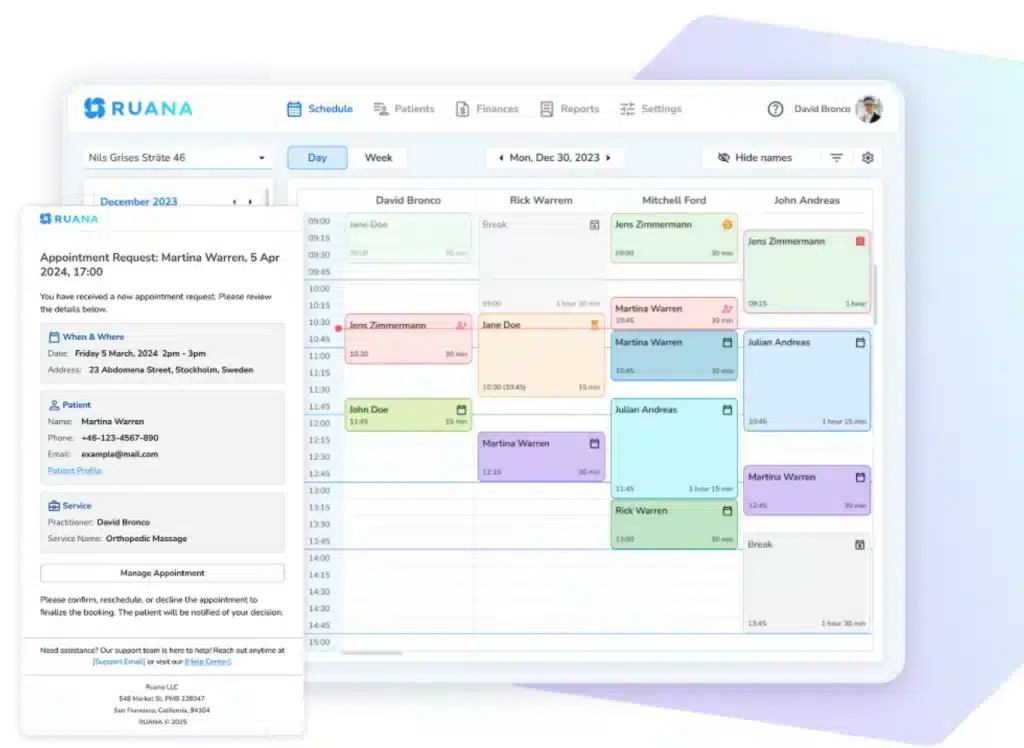
If you use practice management software, it can handle these as availability settings rather than as a wall of options. You can cap working hours per day, cap the number of appointments per day, and block specific time slots to close them to online booking immediately.
4. Configure Practitioners and Locations
A single shared calendar with names attached is not a multi-practitioner setup. Each practitioner needs their own configuration, or clients will book the wrong person at the wrong time.
Work through each of these:
Service assignment. Which practitioner performs which service. If only one therapist is trained in prenatal massage, that service should only ever offer her availability.
Individual working hours. Real schedules rarely match. One practitioner works Tuesday to Saturday, another works mornings only, a third does long days twice a week.
Days off and time away. Holidays, training days, and recurring commitments should be blocked in advance rather than fixed after a client books into them.
Locations. If you operate more than one site, each needs its own availability. A practitioner who is at the second clinic on Thursdays must not appear bookable at the first.
Services by location. Equipment and rooms are not identical across sites. A service that requires a specific table or room should only be bookable where that room exists.
Overlapping availability. Check that no practitioner appears bookable in two places, or for two services, at the same time. This is the single most common configuration error in multi-practitioner setups.
Colour-coding the calendar by practitioner and service, and filtering individual practitioners out of view when they are away, makes these conflicts visible before a client finds them.
5. Decide What Information to Collect During Booking
The instinct is to gather everything at once. Resist it. Every extra field on a booking form is another reason for someone to abandon it, and most of what you want to know is not needed to reserve a slot.
At booking, collect only what identifies the person and the appointment, including the patient’s full name, email address, phone number, a short note field for any details, etc.
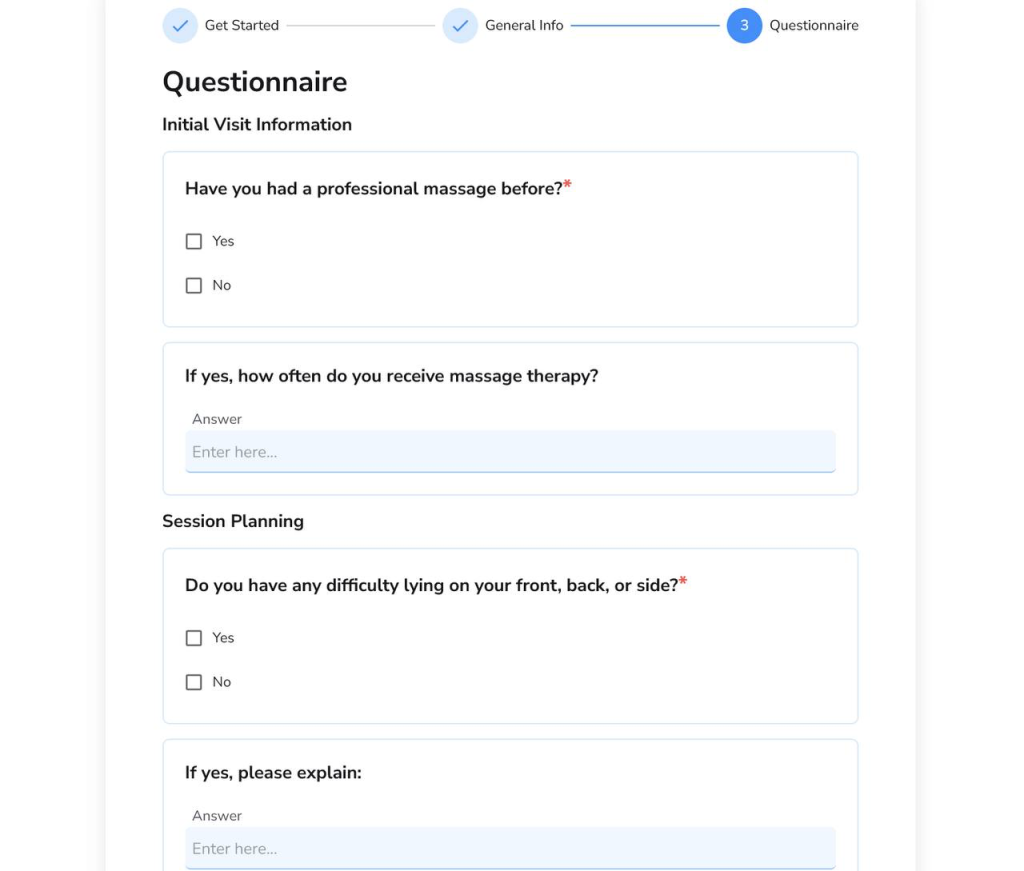
That is enough. Detailed health history, consent forms, insurance details, and treatment-specific questionnaires all belong after the appointment is confirmed, sent as digital intake forms. As a result, the booking takes under a minute, and the clinical information still reaches you ahead of the visit.
Requiring an account to book is worth avoiding too. Guest booking removes a step that quietly costs appointments, particularly for first-time clients comparing two or three practices.
6. Set Up Appointment Confirmations and Reminders
Booking confirmation and reminders are separate messages doing separate jobs. You will need to configure both.
Booking confirmation goes out immediately. It should state the service, date, time, practitioner, location, and how to change or cancel the appointment. This is the message clients search their inbox for later, so put the essentials near the top.
Pre-appointment reminder goes out one to two days ahead. Its job is to prompt an early cancellation from someone who cannot make it, which is far better than a no-show.
Appointment instructions matter more than practices expect. Parking, entrance, what to wear, whether to arrive early, what to bring. Most last-minute stress and late arrivals come from missing information rather than missing intent.
Cancellation policy should appear at booking and again in the confirmation. A policy the client agreed to in writing is a policy you can actually apply.
Intake form reminder closes the loop when forms have been sent but not returned. Without it, incomplete intake gets discovered at the front desk, which is the worst possible moment.
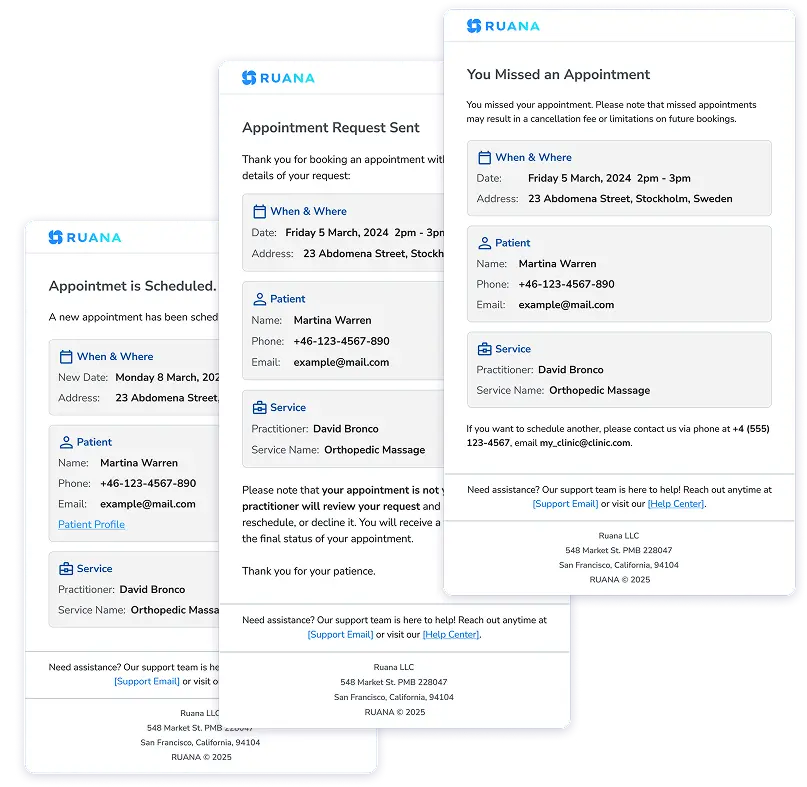
Ruana sends automated email confirmations and reminders on all plans, with SMS text alerts available as a paid add-on. Clients can cancel or reschedule in one click from their confirmation email without logging in, which keeps routine schedule changes off the phone.
7. Create and Test the Patient Booking Experience
Never publish a booking link you have not used yourself as a patient would.
Open the booking page on a phone, in a private browser window, as a stranger with no account. Then work through it deliberately:
Are service names clear to someone outside your practice?
Are durations and prices visible where relevant?
Does the available time actually match your intended schedule?
Book a real test appointment. Does it land on the correct calendar, with the right practitioner, for the right length?
Does the buffer appear after it?
Did the confirmation email arrive, and does it contain everything needed?
Try cancelling and rescheduling from that email. Does the calendar update?
Try booking outside working hours, on a blocked day, and inside your minimum notice window. All three should be refused.
Check that the intake form went out.
Getting It Right the First Time
Online booking works when the rules behind it match how your practice really runs. Realistic durations, honest buffers, availability configured per practitioner and location, a short booking form with intake following behind it, and a set of confirmations that tell clients everything they need to know.
Set it up in that order, and the booking link stops being a source of scheduling problems and starts removing them.
Ruana brings online appointment booking, scheduling, intake forms, reminders, charting, and billing into one system built for chiropractors, massage therapists, and wellness practitioners. Clients book as guests in under a minute with no account required, and you keep control of availability through daily appointment caps, working-hour limits, and blocked time.
Start your free 14-day trial and set up your workspace in 30 to 90 minutes.
About the Authors
★★★★★4.9 · 329 Reviews
Rouzbeh NoroozyChiropractor & Co-Founder · Palmer West · UC Berkeley · 14 Years of ExperienceRouzbeh Noroozy is a chiropractor with 14 years of clinical experience and co-founder of Ruana practice management software. He completed his undergraduate studies at the University of California, Berkeley and graduated from the renowned Palmer College of Chiropractic West in California. As a practicing clinician and clinic owner, he understands firsthand the administrative challenges practices face — and which digital tools genuinely help streamline day-to-day operations.
Anastasiia NoroozyMedical Graduate & Co-Founder · 8 Years of ExperienceAnastasiia Noroozy is a medical graduate and co-founder of Ruana with 8 years of experience working directly with patients at the clinic in Cologne. She manages the day-to-day flow of the practice and knows every patient-facing process from the inside out — from intake and scheduling to follow-up care. Her hands-on clinical and operational experience directly shapes how Ruana is built to work in the real world.
Our team will review your inquiry and get back to you as soon as possible.
Privacy Settings
To provide the best experiences, we use technologies like cookies to store and/or access device information. Consenting to these technologies will allow us to process data such as browsing behavior or unique IDs on this site. Not consenting or withdrawing consent, may adversely affect certain features and functions.
Functional
Always active
The technical storage or access is strictly necessary for the legitimate purpose of enabling the use of a specific service explicitly requested by the subscriber or user, or for the sole purpose of carrying out the transmission of a communication over an electronic communications network.
Preferences
The technical storage or access is necessary for the legitimate purpose of storing preferences that are not requested by the subscriber or user.
Analytics
The technical storage or access that is used exclusively for statistical purposes.The technical storage or access that is used exclusively for anonymous statistical purposes. Without a subpoena, voluntary compliance on the part of your Internet Service Provider, or additional records from a third party, information stored or retrieved for this purpose alone cannot usually be used to identify you.
Marketing
The technical storage or access is required to create user profiles to send advertising, or to track the user on a website or across several websites for similar marketing purposes.
To provide the best experience for our practitioners, we use cookies to personalize content, analyze our traffic, and support our marketing efforts. By clicking 'Accept', you consent to our use of these technologies. You can manage your preferences at any time.
Functional
Always active
The technical storage or access is strictly necessary for the legitimate purpose of enabling the use of a specific service explicitly requested by the subscriber or user, or for the sole purpose of carrying out the transmission of a communication over an electronic communications network.
Preferences
The technical storage or access is necessary for the legitimate purpose of storing preferences that are not requested by the subscriber or user.
Analytics
The technical storage or access that is used exclusively for statistical purposes.The technical storage or access that is used exclusively for anonymous statistical purposes. Without a subpoena, voluntary compliance on the part of your Internet Service Provider, or additional records from a third party, information stored or retrieved for this purpose alone cannot usually be used to identify you.
Marketing
The technical storage or access is required to create user profiles to send advertising, or to track the user on a website or across several websites for similar marketing purposes.