Around those hands, though, a modern practice usually runs on a fair number of chiropractor tools: handheld adjusting instruments, specialised tables, assessment tools, therapeutic devices, and the software that manages everything happening outside the treatment room.
One point before the list. Not every chiropractor uses every tool here.
Equipment varies with technique training, scope of practice, patient population, and the services a clinic chooses to offer. A practitioner who adjusts entirely by hand and one who works almost exclusively with instruments can both be practising well. Treat this as an explanation of what exists, not a shopping list.
Table of Contents
- What Tools Does a Chiropractor Use?
- Chiropractic Adjustment Tools Explained
- What Is the Chiropractor Tool That Clicks?
- Chiropractic Tables and Larger Equipment
- Chiropractor Tools for the Neck and Back
- Digital Chiropractor Tools: The Other Half of a Modern Practice
- To Sum Up

What Tools Does a Chiropractor Use?
| Tool category | Examples | What they help with |
|---|---|---|
| Adjustment instruments | Activator, Impulse, PulStar, ArthroStim, SOT blocks | Delivering controlled force without manual thrust |
| Treatment tables | Drop tables, flexion-distraction, hi-lo, roller tables | Positioning the patient and assisting the adjustment |
| Traction equipment | Motorised traction and decompression tables | Applying sustained axial tension to the spine |
| Assessment tools | Goniometers, inclinometers, dynamometers, radiography | Measuring range of motion, strength, and structure |
| Therapeutic devices | TENS, therapeutic ultrasound, cold laser, IASTM tools, cupping, taping | Soft tissue work and symptom management alongside adjusting |
| Digital tools | Booking, intake, charting, reporting software | Running the practice around the treatment |
Chiropractic Adjustment Tools Explained
Instrument-assisted techniques let a practitioner apply a controlled mechanical force to a specific point, rather than relying entirely on a manual high-velocity thrust.
Two things change when an instrument is used.
The impulse is delivered fast enough that muscles are less likely to reflexively guard against it, and the force stays localised without putting the joint into an end-range twisted or bent position first. That combination is why instruments are common in treating older patients, acute presentations, and anyone who finds manual adjustment uncomfortable.
Activator Adjusting Instrument
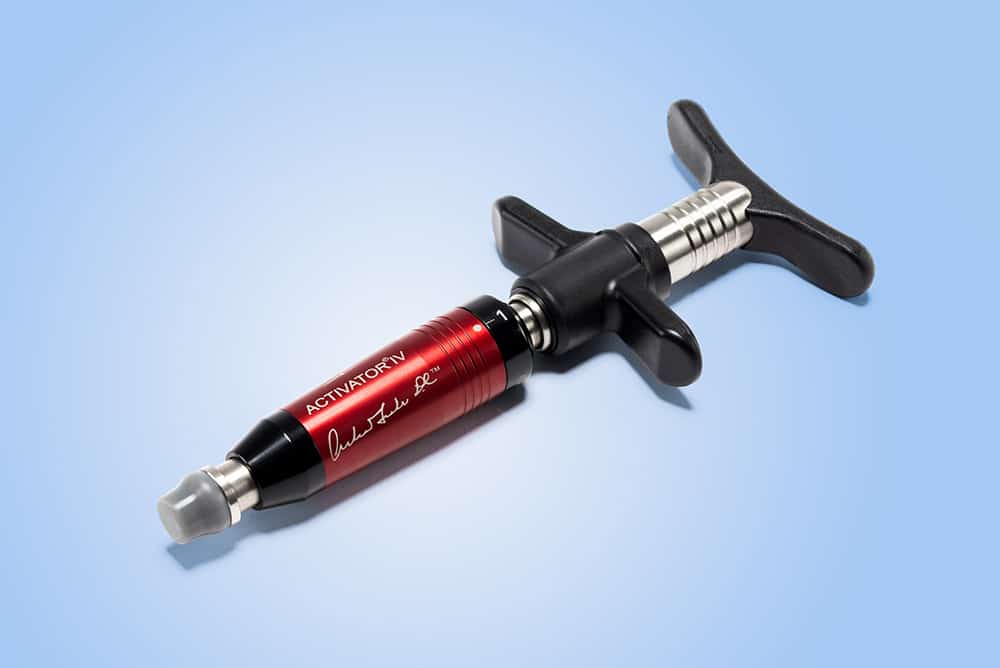
The best-known of the group. The Activator is a handheld, spring-loaded device that delivers a shallow, rapid tap to a specific contact point. Spring tension is preloaded, the stylus is positioned, and releasing the mechanism drives the thrust.
Worth separating the two:
- The mechanical function of the instrument is well characterised,
- While the leg-length assessment traditionally paired with it is the part that attracts scientific criticism.
Many practitioners use the instrument with standard palpation instead.
Electronic Impulse Adjusting Instruments
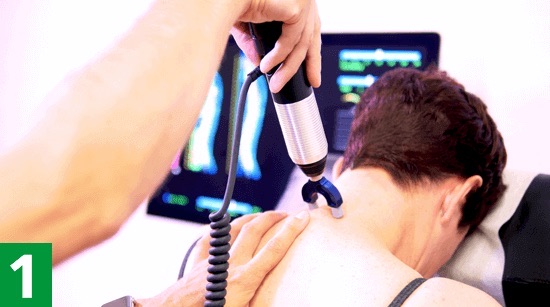
Devices such as Impulse, Impulse iQ, and PulStar are electromechanical rather than spring-driven. Instead of storing energy in a compressed spring, they generate the thrust electronically, which changes what they can do.
The practical differences are force range, the ability to deliver repeated pulses rather than a single thrust, and onboard feedback. PulStar, for example, is built around comparing the stiffness of adjacent spinal segments and displaying the result on screen.
Manufacturers make further claims about sensing and auto-adjustment that are worth evaluating on a demo rather than on a spec sheet.
ArthroStim and Percussive Adjustment Instruments
The ArthroStim takes a different approach again. Rather than one discrete thrust, it delivers a rapid, repetitive percussive input while the practitioner controls force, direction, and duration by hand. The manufacturer states it operates at 12 to 14 beats per second.
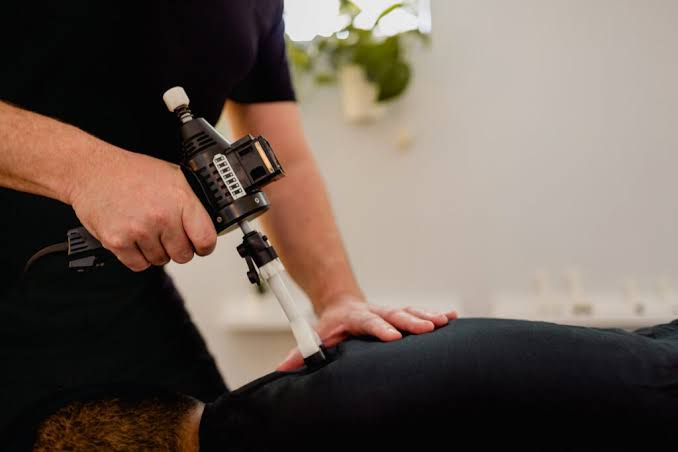
The appeal is control. Because the stylus stays under hand pressure throughout, the practitioner adjusts vector and depth continuously instead of committing to a single preset impulse.
Practitioners often use percussive instruments when they want sustained input into an area rather than a single correction.
What Is the Chiropractor Tool That Clicks?
When patients ask about “the clicker,” they almost always mean an Activator or a similar handheld adjusting instrument.
Here is the part worth understanding, because it is routinely misunderstood: the click comes from inside the instrument, not from the patient. It is the sound of the spring mechanism releasing in the device housing. The instrument makes the same noise when held in mid-air with no patient present. Electronic impulse devices work differently and may produce a quieter or different sound, since there is no spring to release.
That click is not the same thing as the pop people associate with manual adjustment.
Chiropractic Tables and Larger Equipment
Tables are the largest investment in most practices, and each type exists to solve a specific positioning problem.
Drop Tables
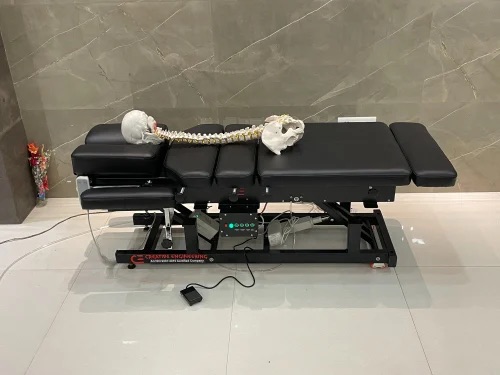
A drop table has sections that can be cocked slightly upward under spring tension. The practitioner applies a shallow thrust, the section drops a controlled distance of usually under an inch, and then stops abruptly.
The mechanism relies on inertia. When the drop piece halts, the patient’s body continues moving for a fraction of a second, and that momentum carries the joint through its intended range. The effect is a usable adjustment at noticeably lower applied force, which is easier on the patient and easier on the practitioner’s body over a career.
Flexion-Distraction Tables
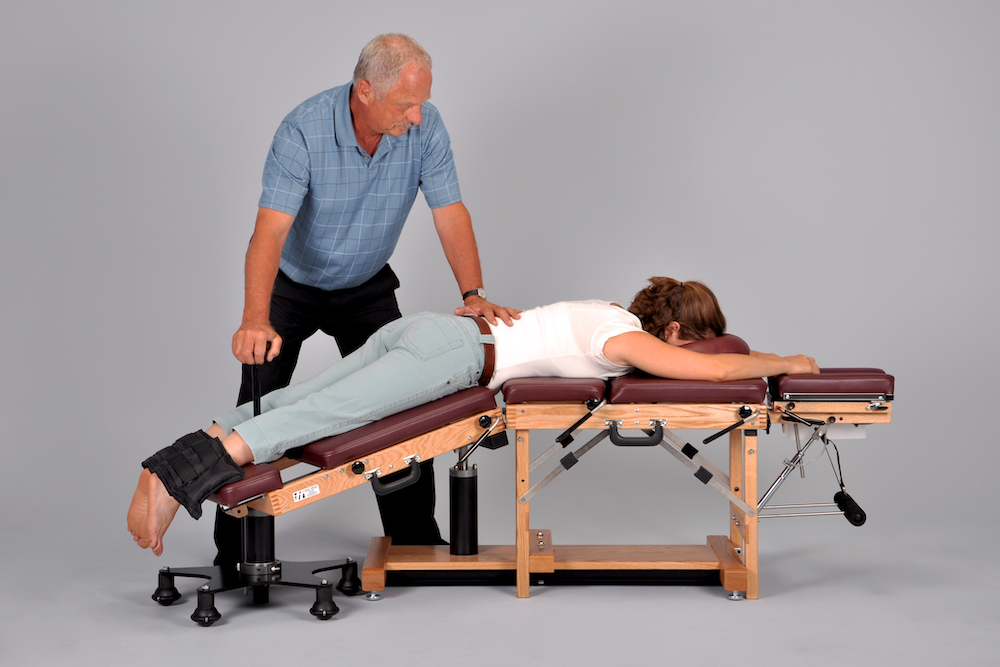
These tables have a movable lower section the practitioner controls by hand, producing gentle rhythmic flexion and axial distraction of the spine. There is no thrust involved.
They are most associated with lumbar disc presentations, stenosis, and facet-related pain. Technique organisations publish specific figures on intradiscal pressure reduction and canal dimensions, and those figures are worth reading as technique-organisation claims rather than settled numbers.
Elevation and Hi-Lo Tables
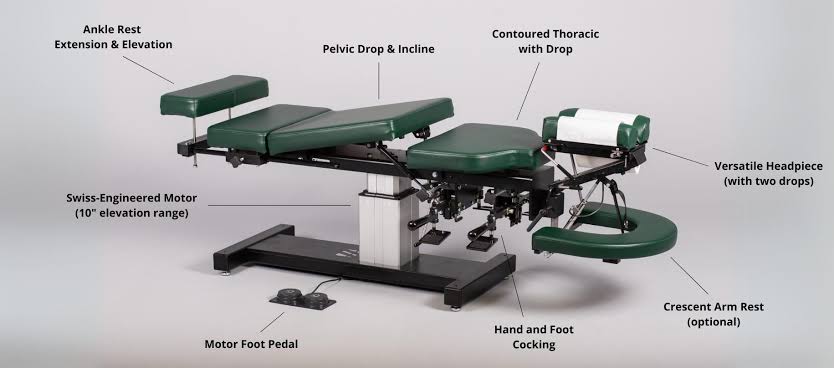
The least complicated equipment here and arguably the highest value per dollar. Elevation tables adjust height by foot pedal. Hi-lo tables go further, tilting from vertical to horizontal so the patient steps on while it is upright and is lowered into position.
The benefit is straightforward accessibility. Patients with limited mobility, acute pain, obesity, pregnancy, or post-surgical restrictions may struggle to climb onto a fixed table.
Adjustable height also lets practitioners of different statures work at an ergonomic level, which matters more the longer the career runs.
Chiropractor Tools for the Neck and Back
Patients often search for a tool that treats a body region, but that is not how the choice gets made. Tool selection follows the practitioner’s assessment, not the location of the complaint. The same instrument may be used on a cervical and a lumbar presentation, and two patients with identical neck pain may be treated with entirely different equipment depending on findings, tissue tolerance, age, and history.
With that framing, some tools do appear more often in each region.
Commonly used for the neck:
- Handheld adjusting instruments such as the Activator, where low force and precise placement matter
- Cervical drop pieces on the table
- Flexion-distraction with a cervical attachment
- Cervical traction devices
- Soft tissue tools including IASTM instruments and cupping for the upper trapezius and suboccipital region
- Therapeutic ultrasound or electrical stimulation for associated muscle pain
Commonly used for the back:
- Drop tables for thoracic and lumbar adjusting
- Flexion-distraction tables for disc and stenosis presentations
- Motorised traction or decompression equipment
- Pelvic blocks for sacroiliac and pelvic mechanics
- Percussive instruments for paraspinal musculature
- IASTM tools, cupping, and taping for surrounding soft tissue
- Intersegmental traction as a warm-up before adjusting
Digital Chiropractor Tools: The Other Half of a Modern Practice
The tools used during an adjustment are only one part of the workflow.
Before and after the patient enters the treatment room, a practice needs tools for booking, intake, documentation, billing, communication, and reporting. This is where most of the administrative hours actually go.
Scheduling and Online Booking
Online booking lets patients schedule without calling, which removes interruptions during treatment and captures appointments made outside opening hours.
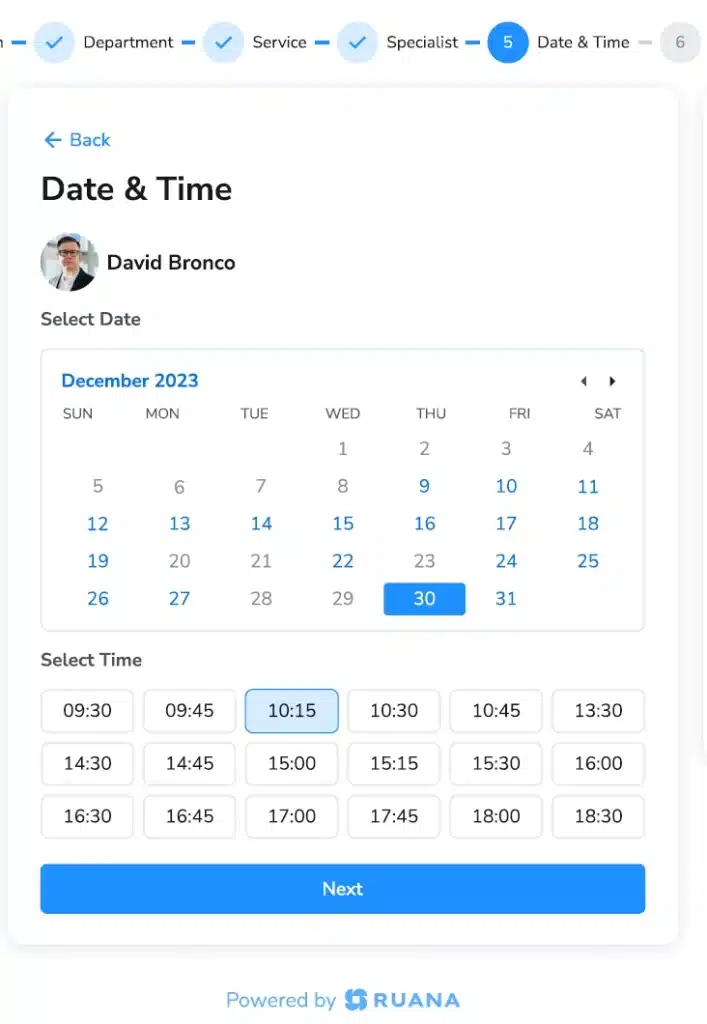
The useful part is control: daily appointment caps, working-hour limits, per-practitioner availability, and blocked time for documentation. Without those, an open booking link fills every gap in the day, including the ones protecting the schedule from collapsing.
Digital Intake Forms
Intake forms sent automatically after booking arrive completed before the patient does. Health history, consent, and cancellation policy acknowledgement all get handled at home rather than on a clipboard in the waiting room.
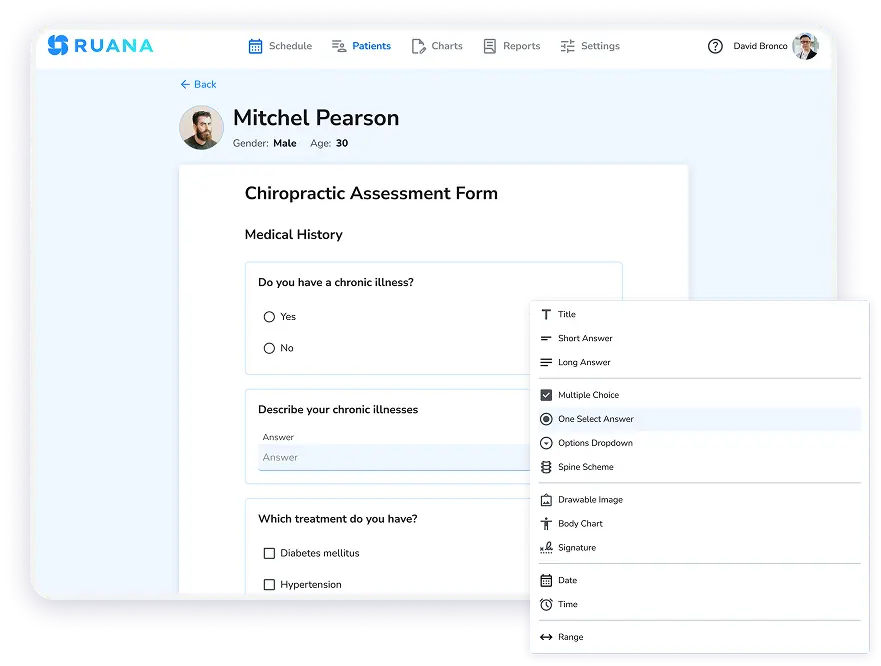
The clinical time you scheduled stays clinical, and the information tends to be more complete when nobody is filling it in while in pain.
SOAP Notes and Chiropractic Charting
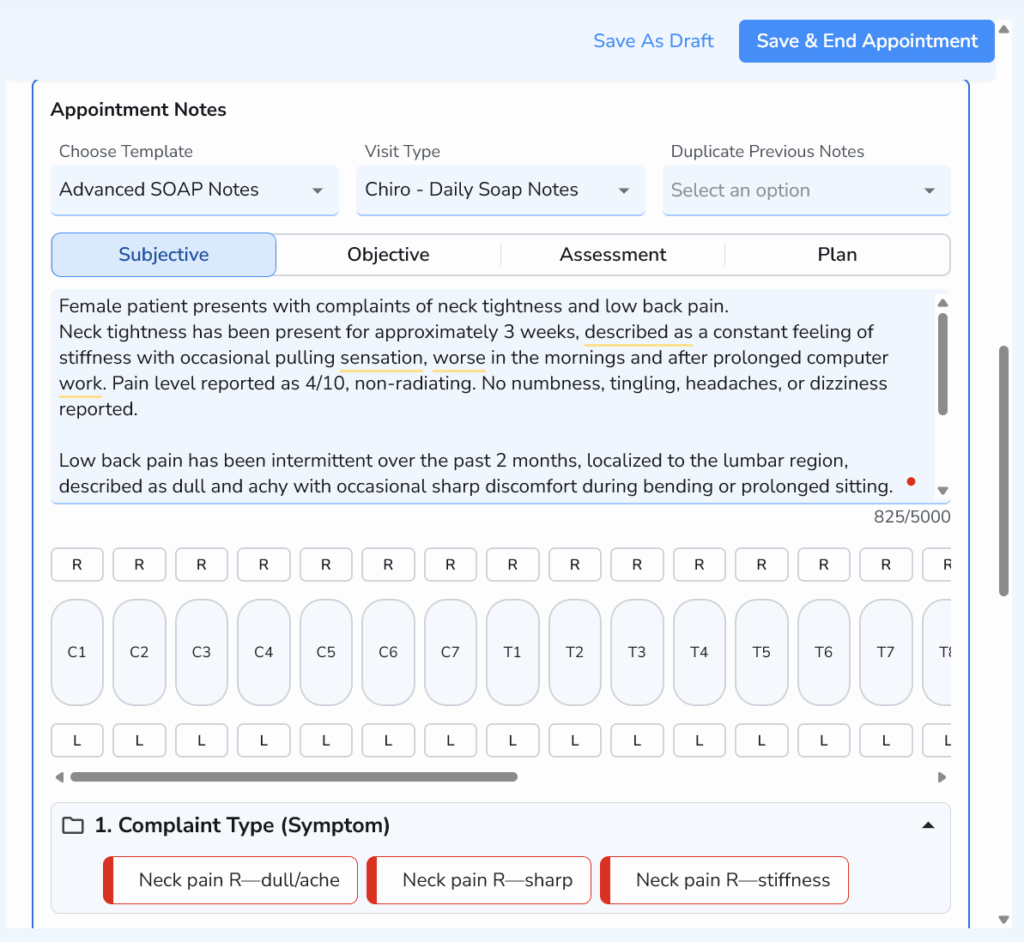
Documentation is where practitioners lose the most time. Chiropractic SOAP notes with anatomical diagrams you can mark rather than describe, auto-complete shortcuts for repeated phrasing, and the ability to carry a previous note forward and edit only what changed will save more hours per week than most physical equipment.
Reporting and Practice Analytics
Reporting turns the calendar into information. Revenue by service, appointment volume, no-show patterns, and new versus returning patients tell you which services justify their room time and where the schedule is leaking. Without it, decisions about hiring, hours, and equipment get made on impression.
How to Choose Tools for a Chiropractic Practice
1. Start with the techniques you actually use. Buy for the practice you run today, not the one in a brochure. Instruments tied to a technique system are only useful with the training that goes with them.
2. Consider patient volume and workflow. A drop table earns its cost in a busy practice by adjusting all day. A specialised device used twice a month rarely does.
3. Think about your own ergonomics. Career length is a real consideration. Adjustable-height tables, drop pieces, and instruments all reduce cumulative load on the practitioner, and that value compounds over twenty years.
4. Check training, regulation, and device requirements. Scope of practice varies significantly by jurisdiction, particularly around imaging and needling, and it changes. Confirm what your licence permits before purchasing, and factor in certification where a technique requires it.
5. Avoid building a disconnected tech stack. This one gets underestimated. Running separate apps for booking, intake, charting, reminders, and billing creates the same friction as badly chosen physical equipment, just spread across the day. Five logins, five bills, and a manual handoff at every step between them.
Ruana brings booking, scheduling, intake forms, SOAP notes, reminders, billing, and reporting into one system built for chiropractors, massage therapists, and wellness practitioners. Most practices are set up in 30 to 90 minutes.
To Sum Up
A chiropractor’s toolkit spans handheld instruments, tables designed around specific techniques, assessment equipment, therapeutic devices, and the software running everything around the treatment.
Yet, none of it replaces clinical judgment.
Instruments deliver force more precisely, tables position patients and reduce the effort an adjustment requires, and software removes administrative work. What stays constant is that the assessment decides the tool, rather than the other way around.
If you are evaluating equipment, start with the techniques you practise and the challenges you actually have. That question usually has a clearer answer than any specification sheet.